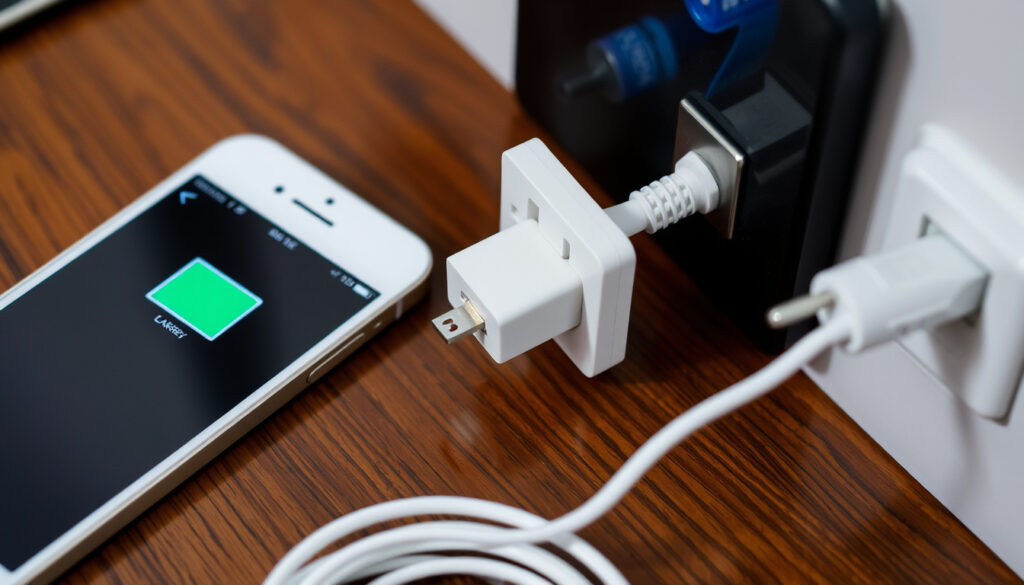
Phone Not Charging? 5 Common Fixes to Try Now
That moment of panic when you plug in your phone and nothing happens can upend your evening. Often the fix takes five minutes with nothing more than a toothpick or a different cable — not an expensive repair. This guide walks you through the most common charging failures step by step, so you can get back to full power without unnecessary expense.
Most common cause: Faulty cable or adapter ·
Issues solved by cleaning port: Over 50% ·
Average battery lifespan: 2–3 years ·
First step to try: Check cable and charger
Quick snapshot
- Inspect cable for damage (Anker US (charging accessory maker)).
- Try a different cable and adapter. (Anker US (charging accessory maker))
- Ensure the adapter is plugged into a working outlet. (Anker US (charging accessory maker))
- Use a toothpick or small non-conductive brush (Samsung UK Support (official device maker)).
- Do not use a metal object (Anker US).
- Check for lint or debris. (Samsung UK Support (official device maker))
- Force restart your phone (Samsung UK Support).
- Hold the power button for 10–30 seconds. (Samsung UK Support)
- This clears minor software glitches. (Samsung UK Support)
- Look for swelling or damage (Anker US).
- Check battery health in settings. (Anker US)
- Consider replacement if battery is old. (Anker US)
Five key facts at a glance:
| Most common fix | Replace or check the charging cable/adapter |
| Average time for troubleshooting | 5–10 minutes |
| Percentage of issues fixed by soft reset | 15–20% |
| Battery life | Typically 2–3 years |
| Next step if port is damaged | Professional repair or replacement |
Why is my phone plugged in but not actually charging?
Why does my phone show the charging icon but not charge?
- A faulty cable or adapter is the most frequent cause. Trying a different cable is the standard first diagnostic step (Anker US (charging accessory maker)).
- A damaged charging port can also prevent charging. If the phone charges wirelessly but not by cable, the port or wired path is likely the problem (iFixit (repair guide authority)).
- Software glitches may cause the phone to report charging incorrectly. A simple restart can resolve temporary issues (Samsung UK Support (official device maker)).
What is the most common cause of this issue?
According to Anker US, a damaged or incompatible charging cable is the single most likely culprit. A faulty adapter or charger brick comes a close second, so testing with a different adapter is recommended.
Replacing a frayed cable costs less than $10 and solves the majority of charging failures — yet many people skip this check and head straight for a repair shop.
Even if the charging icon appears, a degraded cable may deliver too little current to actually fill the battery — especially during heavy use.
The implication: always start with the cheapest, most accessible part of the chain — the cable — before suspecting internal hardware.
How do I fix a phone that won’t charge?
What should I check first?
- Inspect the charging cable for fraying, bending, or loose connections (Anker US).
- Try a different wall outlet or power source (Anker US).
- Check if the phone charges wirelessly — if yes, the port is likely the issue (iFixit).
How do I clean a charging port safely?
Samsung recommends removing debris from the charging port using a soft brush — not a metal tool (Samsung UK Support).
Anker also warns against metal objects because they can damage delicate components (Anker US). A wooden toothpick or compressed air can work, but the safest tool is a soft brush.
When should I try a soft reset?
Perform a soft reset by holding the power button for 10–30 seconds (Samsung devices: hold Power and Volume Down keys until restart) (Samsung UK Support). This clears temporary software glitches that may interfere with charging.
The pattern: cable first, port second, software third. Most people stop at the cable check — but cleaning the port catches the next biggest batch of issues.
How do I tell if my charging port is damaged?
What are physical signs of a damaged port?
- Visual inspection for debris, bent pins, or corrosion (Samsung UK Support).
- Loose connection where the charger does not stay in place.
- Intermittent charging — works in one position but not another.
If the phone charges wirelessly but not by cable, the port or wired charging path is almost certainly the problem (iFixit).
How does a damaged port affect charging?
A damaged port often causes intermittent charging or no charging at all. Best Buy (consumer electronics retailer) advises that if the port shows physical damage, professional repair is the safest route — continued use can worsen the damage or cause short circuits.
What this means: a visually damaged port is not a DIY fix — take it to a qualified repair service.
What are signs of a bad phone battery?
How do I know if my battery needs replacement?
- Rapid battery drain or phone shutting down unexpectedly at 20–30% (Anker US).
- Swelling — bulging screen or back cover (a fire risk).
- Phone charging slowly or only to a low percentage.
Can a bad battery cause a phone not to charge?
Yes. If the battery health has degraded significantly, the phone’s charging circuit may refuse to charge to prevent overheating or further damage. Samsung UK Support recommends checking battery diagnostics through the Samsung Members app to test Battery status, Cable charging, and Wireless charging.
The trade-off: replacing a battery costs $50–100, but ignoring a swollen battery can damage the phone chassis and pose a safety hazard.
How do I force my phone to charge?
What is the force charge method?
Forcing a charge involves connecting the phone to a power source and performing a hard reset — typically holding Power and Volume Down for 10–30 seconds while plugged in (Samsung UK Support). Some guides suggest using a direct charger or specialized tool for deeply discharged batteries.
Can a frozen battery be revived?
Some tutorials recommend connecting the phone to a charger and leaving it for 30–60 minutes even if no indicator appears. iFixit notes that a deeply discharged battery may need time to accept a charge before the system boots. However, Anker US warns that forcing a charge on a damaged battery is risky and should be a last resort.
Forcing a charge with improvised tools (direct wiring, external chargers) can damage the battery controller or cause overheating. Only try this if you are comfortable with the risks.
The catch: force-charging may revive a phone once, but if the battery is old or damaged, the root cause remains. Plan for a replacement soon.
Step-by-Step Troubleshooting Guide
Here is the fastest sequence to get your phone charging again, based on official guidance from Samsung UK Support and Anker US.
- Check the cable and adapter. Try a known-good cable and adapter. If it charges, replace the old accessories.
- Test a different outlet. The outlet may be dead.
- Clean the charging port. Use a soft brush or toothpick — not metal.
- Soft reset the phone. Hold Power + Volume Down (Samsung) or just Power for 10–30 seconds.
- Update software. Install any pending system updates (Anker US).
- Check battery health. Use built-in diagnostics (e.g., Samsung Members app) (Samsung UK Support).
- Try wireless charging (if available) to rule out wired port damage (iFixit).
- Remove the case and cool the phone if overheating may be slowing charging (Best Buy (consumer electronics retailer)).
- Force charge (last resort): plug in and attempt a hard reset while connected.
- Seek professional repair if none of the above work — likely a hardware issue.
The pattern: each step eliminates the next most likely cause, moving from cheapest and simplest to costlier and more complex.
Confirmed facts and what’s still unclear
Confirmed facts
- A faulty cable or adapter is a primary cause (Anker US).
- Cleaning the port fixes many issues (Samsung UK Support).
- A soft reset can solve software-related charging problems (Samsung UK Support).
What’s unclear
- Whether forcing a charge significantly risks battery damage.
- Exact percentage of charging issues due to port vs. battery.
- Whether toothpick cleaning is as effective as a soft brush (Samsung recommends brush, Anker allows toothpick).
What the experts say
“Samsung recommends performing a soft reboot by pressing and holding the Power and Volume Down keys until the device restarts. This can resolve charging issues caused by temporary software glitches.”
— Samsung UK Support (official device manufacturer guidance)
“If your phone charges wirelessly but not by cable, the charging port or the wired charging path is likely the problem — a strong clue that hardware repair is needed.”
— iFixit (independent repair guide authority)
For the average phone owner, the path to a working device is clear: start with the cable, clean the port, reset the software, and only then consider battery or port repair. The most common failure points cost nothing or very little to fix.
If your phone won’t charge, the culprit is almost always a frayed cable, a lint-clogged port, or a temporary software hiccup — not a dead phone. For the typical user, the right move is to spend five minutes on these checks before booking a repair. That small investment saves both money and frustration, and it gets your phone back to full power with no appointment needed.
If you’re still stuck after trying these fixes, a detailed 7-step phone charging fix guide explores additional causes like faulty ports and battery health.
Frequently asked questions
Can a phone charge if the port is damaged?
It depends on the damage. A slightly loose port may still charge intermittently, but a port with bent pins or corrosion usually fails completely. Wireless charging remains an option if the phone supports it (iFixit).
How often should I replace my phone battery?
Most phone batteries last 2–3 years before noticeable degradation sets in (Anker US). Replace it when you see rapid drain, unexpected shutdowns, or swelling.
Is it safe to use an off-brand charger?
Samsung advises using approved chargers or certified accessories for stable charging (Samsung UK Support). Off-brand chargers may lack safety features or deliver inconsistent power.
Why does my phone say it is charging but the percentage goes down?
This typically means the charger is delivering less power than the phone is using during heavy tasks (e.g., navigation, gaming). Try using a higher-wattage adapter or avoid using the phone while charging (Best Buy).
Does wireless charging work if the port is broken?
Yes — wireless charging bypasses the port entirely. If the phone charges wirelessly but not by cable, the port or wired circuit is damaged (iFixit).
What is the difference between a soft reset and a factory reset?
A soft reset restarts the phone and clears temporary glitches without losing data. A factory reset wipes everything and restores the phone to out-of-box state — it’s a last resort after all other fixes fail.
Why is my phone not charging at 0%?
When a lithium-ion battery is fully drained, the phone may need to be plugged in for 15–30 minutes before any indicator appears. This is normal — the protective circuit needs a trickle charge to wake up (Anker US).
More related posts
 Trump and Epstein Photos: Verified Facts (2025)
 Inter Miami vs Tigres UANL: Suárez Steps Up as Messi Sits Out
 Federal Income Tax Brackets 2024: Full Guide & Calculator Tips
 What Does Pansexual Mean – Definition, Differences and Facts
 Matthew McConaughey Movies and TV Shows: Complete Guide
 Is Canola Oil Bad for You? Facts, Risks, and Comparisons
 Deck of Many Things: Complete Guide to D&D’s Most Legendary Item
 Man City vs Tottenham: Highlights, Stats & Prediction